MAGI-2 turns one prompt into a 30-second, 1080p video that comes with its own sound. Keep characters consistent with up to 20 references and put every cut exactly on the beat. MAGI-2 is live on magi-2.si now — write a scene below and generate it.
MAGI-2 is live: 1080p, 4–30 seconds with native sound, 25 credits per second. MiniMax H3, Seedance 2.5, Kling 3.0 and more are in the same menu.
Background video: a MAGI-2 release example.
What is MAGI-2?
MAGI-2 is an AI video model that makes up to 30 seconds of 1080p, 25 fps video with matching sound in a single generation. It has about 480 billion parameters (about 28 billion active per token), takes up to 20 reference files per request and was released on November 24, 2026. You will also see it written as MAGI 2 or MAGI2.
480Btotal parameters, ~28B active
30ssingle generation at 1080p, 25 fps
20references: 10 images, 5 videos, 5 audio
1150.3Video Arena Elo, 4-task average
MAGI-2 at a glance
Details
Released
November 24, 2026 (MAGI-2 Preview: August 2026)
Model size
~480B total parameters, ~28B active per token
Architecture
Single-stream Transformer with Multi-Head Latent MoE
Pre-training data
~4T tokens, about 1 billion samples (~3× MAGI-2 Preview)
Length and quality
Up to 30 seconds per generation, 1080p at 25 fps, six aspect ratios
Audio
Native dialogue with lip-sync, foley, ambient sound and music
References
Up to 20 per request: up to 10 images, 5 videos and 5 audio clips
Control
Timeline and shot-cut control, targeted editing of existing video
Open weights
Announced; not yet released as of November 26, 2026
Figures from the model’s public release notes (November 24, 2026) and the MAGI-2 Preview research post (August 5, 2026).
MAGI-2 · MAGI 2 · MAGI2
What can MAGI-2 do?
Watch MAGI-2 release examples grouped by what they show — 30-second long takes, omni-reference, timeline control and emergent reasoning — plus real tests from creators. Every clip says where it came from.
01 / 05
One continuous take, up to 30 seconds
MAGI-2 holds a scene for up to 30 seconds at 1080p and 25 fps, so slow reveals, style transitions and long camera moves can play out in one generation instead of several stitched clips.
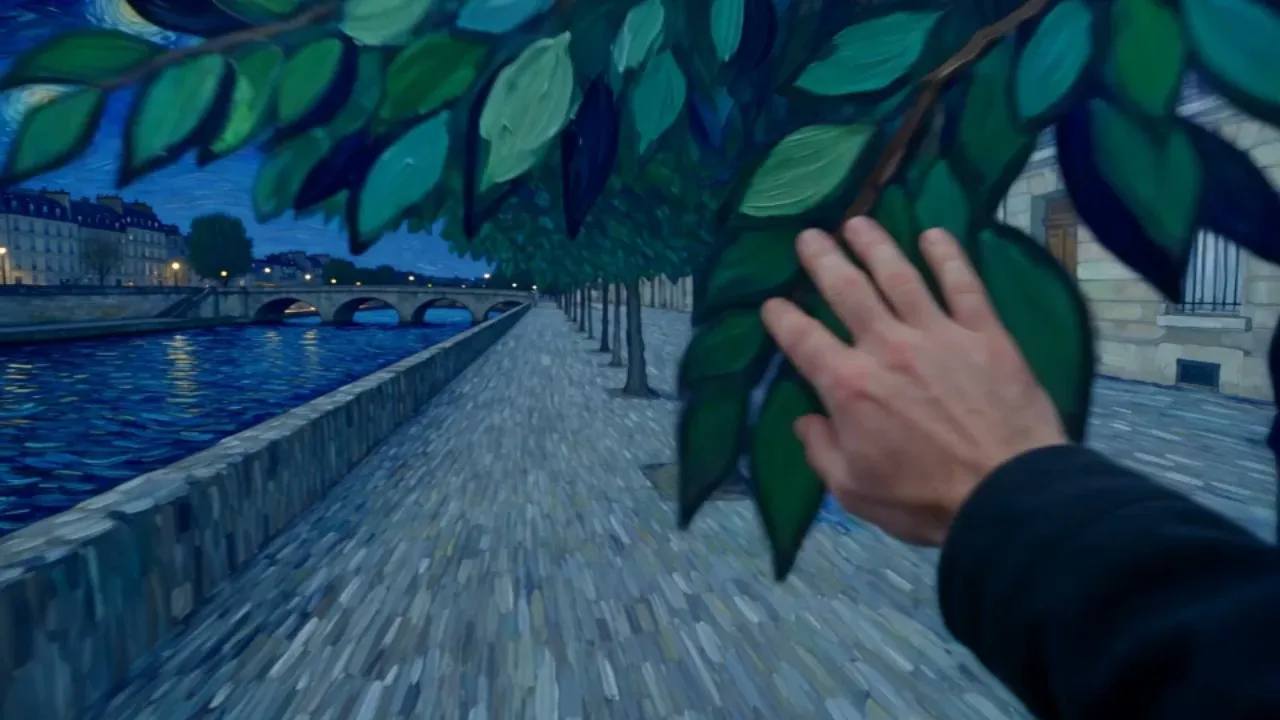
Conditioned on five classic paintings, including The Starry Night, Water Lilies and A Sunday Afternoon on the Island of La Grande Jatte, MAGI-2 moves through every style in a single 30-second continuous shot.
Post-training focuses on lighting depth, micro-texture, fur and material realism. These two 25 fps clips of the same “Lunar Cave” scene were released as a before-and-after comparison for reinforcement learning.
Reference paintings
Reference paintings
Inputs
Five classic paintings as references, including The Starry Night, Water Lilies and A Sunday Afternoon on the Island of La Grande Jatte. One 30-second continuous take with smooth stylistic transitions.
Release example · MAGI-2
RL comparison
RL comparison
Comparison
Clip 1 of 2 from the “Lunar Cave” pair released to compare output before and after reinforcement learning.
Release example · MAGI-2
RL comparison
RL comparison
Comparison
Clip 2 of 2 from the same pair. Compare lighting depth, surface texture and material detail between the two clips.
Release example · MAGI-2
02 / 05
Omni-reference: lock characters, places and sound
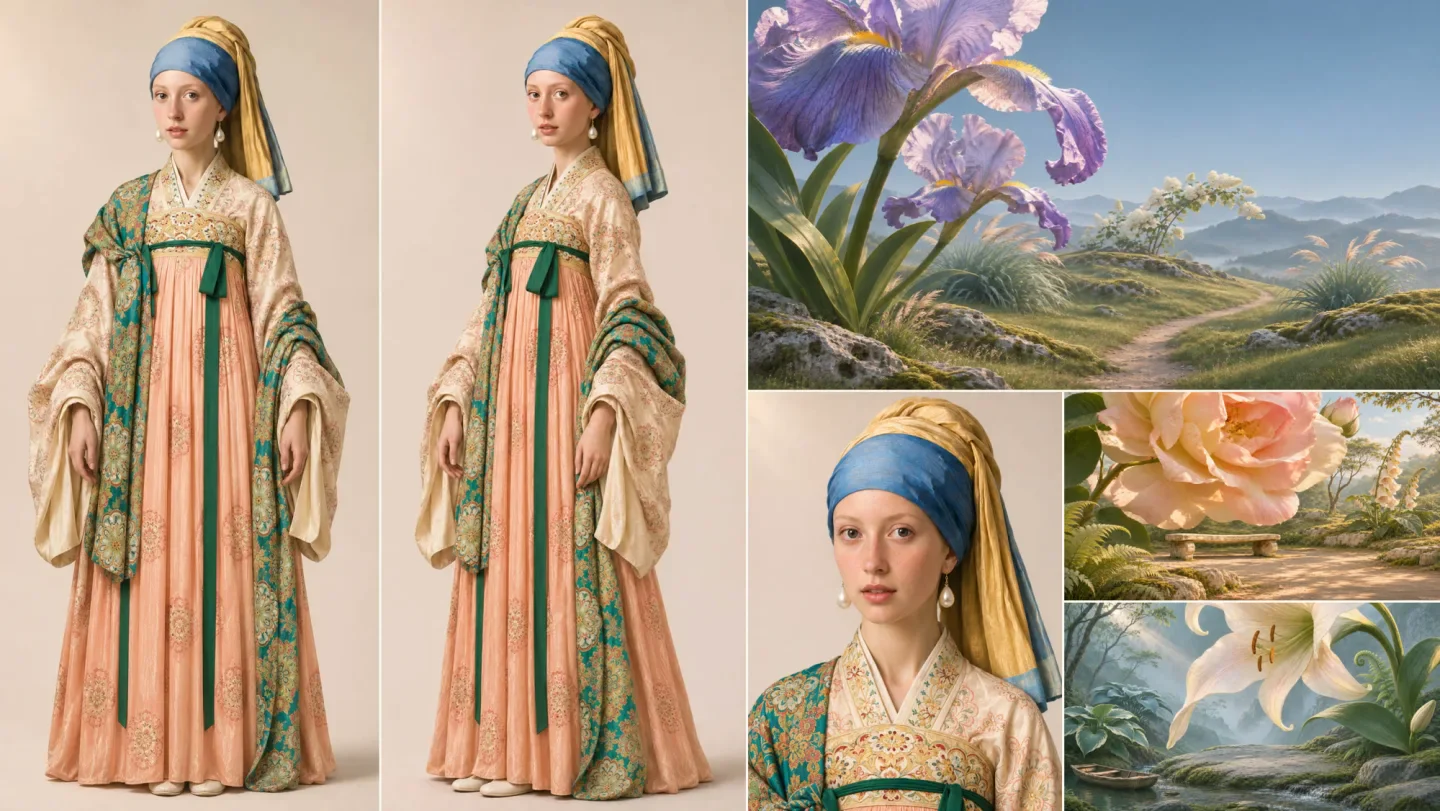
One MAGI-2 request accepts up to 20 references — as many as 10 images, 5 videos and 5 audio clips — so a character, a location or a voice can stay consistent across a whole scene.
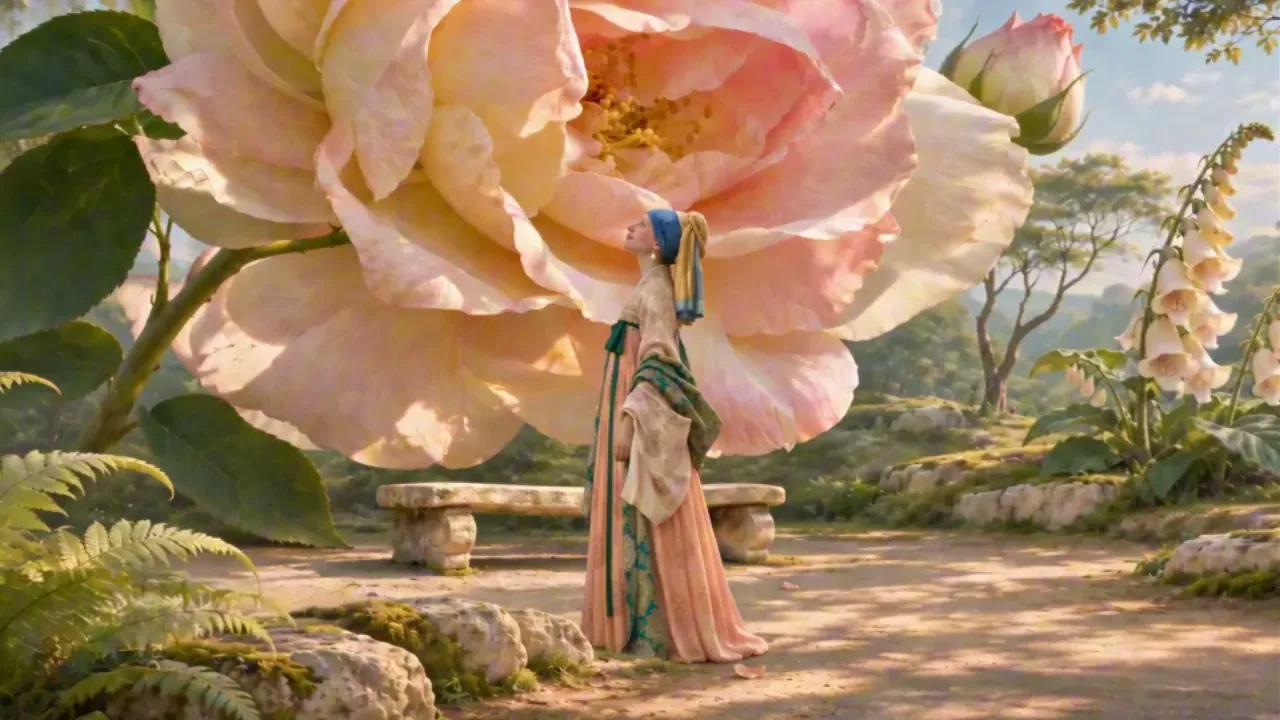
A character sheet and several location images guide one generation. The wardrobe stays locked while the scene travels through an iris hillside, a rose garden and a lily valley.
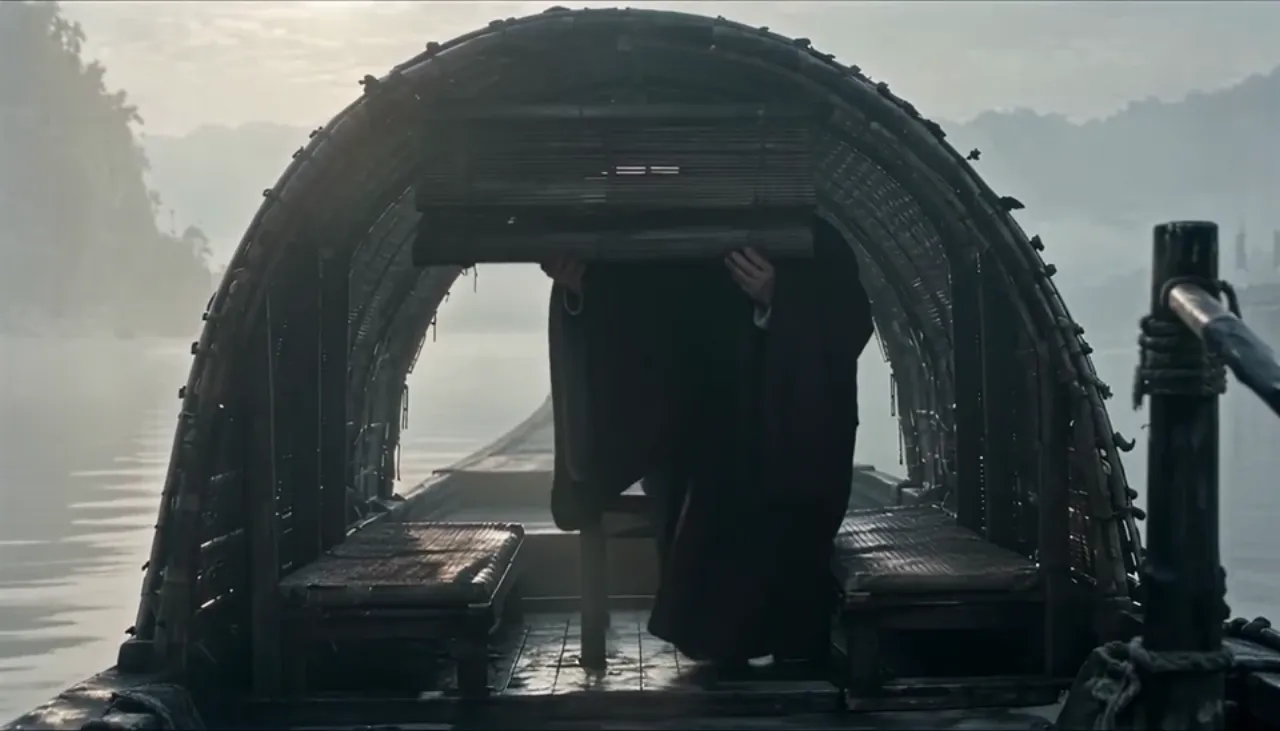
Given character and scene references plus three story beats, the model planned framing, perspective switches and close-ups on its own, with dialogue and river sound generated together.
Reference images
Reference images
Character and location references
Release example · MAGI-2
References + story beats
References + story beats
Inputs
Character and scene references for Lu Su, Zhuge Liang and a river boat, plus three story beats. No framing, camera angles or cut points were specified (pre-trained checkpoint, prompt enhancement off).
Release example · MAGI-2
03 / 05
Timeline control and video editing
Write a scene as a timeline, mark the cuts and let MAGI-2 follow it, or change one part of an existing video while the rest of the shot stays intact.
Describe each segment and ask for hard cuts at specific seconds. In a 20-shot test reported by Chinese tech media, MAGI-2 hit all 19 planned cut points with an average offset of 0.05 seconds.
Give MAGI-2 an existing clip and an instruction. It edits the requested element and keeps the composition, motion and lighting around it.
Timeline prompt
Timeline prompt
Inputs
A segment-by-segment timeline prompt with planned shot changes. MAGI-2 places each cut on the requested beat within one 30-second generation.
Release example · MAGI-2
Video + edit instruction
Video + edit instruction
Inputs
An existing video plus an editing instruction. MAGI-2 changes the requested element while the rest of the scene stays stable.
Release example · MAGI-2
04 / 05
Emergent visual reasoning
Testing the 480B pre-trained checkpoint turned up skills nobody trained for directly: solving visual puzzles, planning shots from a short beat sheet and translating dialogue into another language.
With prompt enhancement switched off, the pre-trained model kept every given digit and filled the remaining cells so each row, column and 3×3 box contains 1–9. The release notes add that these behaviors get harder to trigger after aesthetic post-training.
Prompt
Prompt
Prompt
Solve this 9×9 Sudoku puzzle step by step, filling each empty cell one by one while keeping all given digits unchanged.
Release example · MAGI-2
05 / 05
Real creator tests before launch
Chinese creators and tech media tested MAGI-2 before release. These clips show camera work, emotional performance and stylized animation, with the prompts they published where available.
Bold orbits, crane moves and a paper plane flying through a whole school in one take — tests of camera control and spatial continuity.
Quiet tears, a missed kiss and a sunset reunion: scenes carried by eyes, micro-expressions and timing rather than dialogue.
Paper-cut, impasto oil paint and ink-wash animation that stay true to the requested medium.
Orbiting camera around a model in the city
Orbiting camera around a model in the city
Prompt (translated)
Shot on an iPhone camera: smoothly track a full-body model in a coat from the side, move in front and speed up slightly, arc around to the back and rise quickly to a top-down view. Arc back down fast to the front, hold a facial close-up for a moment, then accelerate backward and upward to settle softly on a high wide view of the city. Use a natural 28–35 mm wide-angle look and keep enough distance in close-ups to avoid stretching the face and limbs. Ease every rise and descent in and out; keep the subject's motion at normal speed so rhythm comes from the camera. The background should show continuous parallax as the camera moves — large shifts up close, small shifts far away — so the city never rotates like a flat texture. Keep it one continuous take. If a hidden cut is needed, only join where clothing or foreground buildings briefly cover the frame, keeping motion, proportions and positions consistent across the cut. Match the music to the camera moves for a strong sense of rhythm.
Shot on a native iPhone camera, natural light, sunset glow, one continuous take with spaces joining naturally: at sunset a white paper plane takes off from the rooftop of a school building. The camera follows behind it over the roof edge and dives with it into the open corridor below. The plane enters a classroom, skims the desks and brushes past the blackboard; the camera passes under the wing to the other side, speeds around to face the nose and watches it fly out the back door. At the end of the corridor a wide window stands fully open onto the playground. The plane flies out through the window, banks gently and glides down along a row of windows a few meters from the wall. The camera looks down on its back, then arcs down on the playground side to look up at its belly. Near the ground floor the plane turns into the hall's open side door; the camera circles back to the tail and follows it through the hall while rolling a full turn on its own axis, leveling out as it exits. It then skims the grass over the plane's shadow, arcs up to the wingtip and slows with the plane until it settles in the palm of a European girl walking toward it, its paper wings trembling. The plane always glides naturally with slight drift from the breeze; speed changes come mainly from the camera. Near window frames rush past while distant floors appear one by one, with clear, continuous parallax on every orbit. Spaces must connect one after another — the plane must never pass through walls.
A girl who has just been through a breakup comes to the sea alone, looks at the pink paper crane in her hand, cries quietly, and finally lets go with relief.
A two-person close-up scene: a boy thinks he has been forgiven and leans in for a kiss, the girl pulls back at the last moment, and his momentum leaves him leaning awkwardly forward.
A reunion scene on a school playground at sunset: she recognizes him twenty meters away, freezes, puts down her paper cup and walks over to say “Long time no see” — four shots in a single generation.
Layered paper-cut animation: carp becomes a dragon
Layered paper-cut animation: carp becomes a dragon
Prompt (translated)
Traditional Chinese layered hollow paper-cut animation on warm, translucent off-white window paper, with hand-cut vermilion, gold and indigo layers stacked on top of each other. Keep the paper fibers, fine serrated cut-out patterns, slight real shadows between layers and a hand-made, slightly stepped frame rate; never drift into 3D rendering or smooth CG. The camera pushes in: a flat indigo paper roll flips up with a rustle into rolling paper waves; a vermilion paper carp covered in delicate cut-out patterns leaps out against the current, weaves between layered paper reefs and falling gold paper lightning, then flicks its tail and charges at a tall gold paper Dragon Gate. As it clears the gate, the red and gold pieces burst apart, spin and reassemble in mid-air into a huge red-and-gold paper dragon that breaks through the paper clouds and spirals upward, while drifting red scraps settle into an elegant, symmetrical paper-cut panorama. No dialogue; crisp paper folding and rustling, rapid pipa strumming and powerful Chinese drums.
Rich impasto oil-paint animation: every frame is built from thick, sculpted oil paint with visible palette-knife texture and strong swirling brushstrokes; never drift into live-action film. On a storm-lashed, deep-blue sea a small wooden boat with a red sail struggles up an oil-paint wave slightly taller than the boat. The wave smashes on the bow and bursts into thick ultramarine and golden paint spray; then, defying gravity, the spray spirals up on the wind into the black night sky and blooms into brilliant, swirling golden nebulae and flocks of glowing oil-paint seagulls. Light breaks through the clouds onto the sea, and the camera rises to look down on the boat riding the waves toward a golden dawn. No dialogue — only crashing waves, howling wind and swelling strings.
A courier runs down stone steps; passengers on a cable car think he is chasing it and shout for him to stop. He is not trying to board — he throws a red letter bag to a passenger and asks them to carry it down the mountain. Hand-painted ink-wash animation style.
MAGI-2 accepts a written scene, a still image or a full set of references, and all three workflows are open now. Choose MAGI-2 or another connected model in the same menu.
MAGI-2 text to video
Describe the subject, setting, action, camera and sound. MAGI-2 reads a prompt like a shot list, so time ranges and named cuts give it a clear plan.
Lip-synced dialogue, river sound and self-planned shots from three short story beats.
What you can create with MAGI-2
From AI short dramas and ads to animation, music videos and previsualization, MAGI-2’s 30-second takes, native audio and references fit whole scenes, not just clips. All of these workflows run on MAGI-2 here today.
AI short dramas and series
Hold one character across a full 30-second scene with lip-synced dialogue, then build episodes from consistent references.
Ads and product films
Cover a product from hero shot to lifestyle moment in one take, with sound that already fits the edit, in six aspect ratios.
Social reels and shorts
Create vertical clips with a clear hook, timed cuts and music generated alongside the picture.
Animation and stylized stories
Keep paper-cut, oil-paint, ink-wash or 3D styles consistent while characters act out a scene.
Previsualization and storyboards
Turn a storyboard or beat sheet into a timed sequence to test camera moves and pacing before production.
Explainers and lessons
Combine a presenter, a demonstration and synchronized narration in one generation for tutorials and training.
How to create a MAGI-2 video
Write the scene as beats
Describe the subject, setting and camera, then split the action into time ranges such as 0–10 s, 10–20 s and 20–30 s. Name the sounds you expect in each part.
Add references for what must stay the same
Upload a character sheet, a location still, a motion clip or a voice sample you have permission to use. Keep the text prompt for action and mood.
Set length, ratio and cuts
Choose the duration and aspect ratio, mark any hard cuts and check the credit cost before you generate.
Review, then change one thing
Check identity, motion, timing and audio. Change one beat or one reference at a time so you can see what each edit does.
MAGI-2 vs MAGI-2 Preview
What changed between the August 2026 research preview and the November 2026 release, based on the published figures for each.
Feature
MAGI-2 Preview
MAGI-2
Release
August 5, 2026 (research release)
November 24, 2026 (full release)
Total parameters
~114B
~480B
Active parameters per token
~6B
~28B
Architecture
Single-stream Transformer · Multi-Head Latent MoE
Same backbone, scaled more than 4×
Pre-training data
Baseline
~4T tokens, about 3× Preview
Video Arena Elo (AA v2.1, 4-task average)
998.5
1150.3 (+151.8)
Output
Research checkpoint
Up to 30 s · 1080p · 25 fps · native audio
References and control
—
Up to 20 references · timeline cuts · video editing
Open weights
Research release
Announced, not yet released
Figures from the MAGI-2 Preview (August 5, 2026) and MAGI-2 (November 24, 2026) release notes. Read the full comparison
MAGI-2 FAQ
Quick answers about MAGI-2, MAGI-2 Preview and what you can do on magi-2.si today.
What is MAGI-2?
MAGI-2 is an AI video model with about 480 billion parameters, released on November 24, 2026. It makes up to 30 seconds of 1080p, 25 fps video with native sound in one generation and accepts up to 20 reference files.
Yes. MAGI-2 is the usual spelling; MAGI 2 and MAGI2 are just other ways people type the same model name. MAGI-1 is the earlier model in the same family.
What is MAGI-1, and how is MAGI-2 different?
MAGI-1 was the earlier model in the family. It built video chunk by chunk, which suited streaming and continuation. MAGI-2 moves to a single-stream Transformer with Multi-Head Latent MoE, generates sound with the picture and scales to about 480B parameters.
MAGI-2 Preview was an August 2026 research release with about 114B parameters (about 6B active). The full MAGI-2 scales to about 480B (about 28B active), trains on about 4T tokens and raises its Video Arena Elo from 998.5 to 1150.3.
Not yet. Open weights and a technical report have been announced, but as of November 26, 2026 the weights have not been published. We will update this page when they are.
Yes. MAGI-2 is at the top of the model menu: 1080p, 4–30 seconds, native sound and up to 20 references, at 25 credits per second. You can also create with these models. Video: MiniMax H3, Seedance 2.5, Kling 4.0, Kling 3.0, Seedance 2.0 Pro, Fast and Mini and Veo 3.1 fast. Images: GPT Image 2, Nano Banana 2 and Nano Banana Pro.
Yes. MAGI-2 generates picture and sound in the same pass, including dialogue with lip-sync, foley, ambient sound and music. Public tests describe the audio as usable but less refined than the picture.
Do credits expire?
Credits from a monthly plan are valid for that billing month. A yearly plan adds credits every month; whatever you do not use carries over to the next month and stays available until the yearly plan ends. Credit packs remain valid for 365 days from the purchase date, regardless of any plan renewals.
Up to 20 per request: as many as 10 images, 5 video clips and 5 audio clips, each with its own role, such as a character, a location, a camera move or a voice.
Short films, ads, dialogue scenes, music-video style clips and stylized animation — anything that gains from one long take, steady characters and sound that matches the picture. Public tests suggest detailed, beat-by-beat prompts give the best results.
Signing up is free and new accounts receive welcome credits. Generation uses credits, so it is not unlimited; you can buy a credit pack or subscribe when you need more.
That depends on your plan, the model you used and that model’s terms. Review our Terms of Service, and make sure you have the rights to every image, likeness, voice, music or brand asset you upload.
If a task fails because of a platform or model error, the credits are usually returned automatically. A completed generation that does not match your idea is still counted, so test prompts at a short duration first.
YEARLY SAVINGS
magi-2.si Pricing — Save ~50% Yearly, From $0.49/Day
+30% bonus credits on Pro · Pro yearly: 6,000 extra credits a month, and they roll over
--Days
:
--Hours
:
--Mins
:
--Secs
Ends December 1, 23:59 PT
Choose a plan for AI video creation on magi-2.si; change plans anytime or buy a one-time credit pack. MAGI-2 costs 25 credits per second.
Mini Plan
$29.9/ month
100 credits ≈ $1
For trying ideas at your own pace: a steady monthly allowance for personal projects and first experiments.



 Watch example
 MAGI-2